 System requirements: Windows® 7, 8, 10, Server 2012 +
Email Newsletter Software
How Our Email Newsletter Software Can Help You?
With EasyMail7 you can send high volumes of emails with no limits or costs relating to message size, number of subscribers or frequency.
In addition, EasyMail7 can automatically eliminate duplicate addresses and handle bounce emails and contacts who cancel their subscription. The procedure is guided, quick and safe.
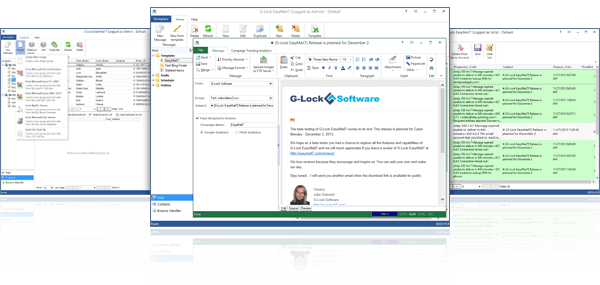
Check out the list of smart features of EasyMail7 below:
Secure Data Storage
All program data such as email server accounts, email templates and drafts, contact groups, sent items etc. is stored on the EasyMail7 Server. You do not upload your recipients, messages or share your sending statistics with a 3rd party email service. Most critical data is encrypted with AES-256.
Ready for Agencies and Individual Marketers
Install the EasyMail7 Server on a centralized network server and EasyMail7 Client on your desktop computer, laptop, home pc etc. and manage email campaigns from any computer. Need to manage many clients? Create multiple users and workplaces and keep each client’s data within his own workplace.
Unlimited Contact Groups and Segmentation
EasyMail7 allows you to create an infinite number of contact groups and upload any number of subscribers with no extra costs of any kind. And you can also segment the groups, specifying the segmentation criteria, for sending targeted email campaigns!
Super Fast Import
EasyMail7 can create a contact group directly from a CSV text, MS Access, MS Excel file, MySQL or MS SQL database. The import of 1 million emails takes just 43 seconds!
Integration with CRM Databases
EasyMail7 can connect to any ODBC compatible database on the network: MS Excel, MS Access, MySQL and others. This means your contact information in EasyMail7 is always up-to-date. No need to re-import the lists into EasyMail7.
Automated Bounce and Unsubscribe Management
EasyMail7’s built-in Bounce Handler can automatically unsubscribe or delete hard bounce email addresses from your contact groups. In addition, it can automatically update external databases, insert and delete bounce emails from external databases. And what happens to unsubscribers? EasyMail7 can automatically add them to the general “do not send” list.
Integration with Email Analytics
EasyMail7 is integrated with G-Lock Email Analytics, Google Analytics, and Piwik Analytics so you can instantly know who opened your email, clicked links and visited your web site. An effective method to monitor and analyze the success of each campaign in real time!
Integration with WPNewsman
You can use WPNewsman plugin to create opt-in forms on your WordPress site and easily connect from EasyMail7 to WPNewsman lists through API to send email newsletters to the subscribers.
Automatic Data Backup
EasyMail7 automatically creates backup of your data to protect it from damage or loss. You can schedule the backup creation for the night when the server is not overloaded. The program can save a copy of the backup file to any local folder, or a cloud file storage folder such as OneDrive, DropBox etc.
See all EasyMail7 features here →.
Why EasyMail7 Stands out from the Crowd?
You won’t find these unique features in any competitor’s program:
Integration with Amazon SES API
If you can’t use your ISP SMTP server due to email sending restrictions and you don’t have your own SMTP server, signup with Amazon SES and configure EasyMail7 to use Amazon SES API or SMTP. Amazon SES will send bounce and feedback loop emails at your email address and you can process them with the EasyMail7′ Bounce Handler.
Inbox Placement and Spam Filtering Testing
What to send emails with confidence they are reaching your subscribers? Run the Inbox placement and spam filtering test. EasyMail7 will show how your message is treated by major Internet providers around the world and whether it is delivered to the Inbox, spam folder or blocked before reaching the recipient’s mailbox. Plus, you will receive delivery duration, sender authentication testing (DKIM, SPF) and spam testing report.
Drag-and-Drop Message Editor
Use the built in drag-and-drop editor to create beautiful mobile-ready email messages, even if you have no knowledge of HTML. Or, download the template from the store, add text and images and finish with links to social profiles.
Easy Image Upload
Upload pictures used in your message to your web server directly from EasyMail7. This helps you decrease your message size, save money for data transfer, increase the sending speed and ensure that the pictures will be displayed correctly within the message.
Personal Attachments
In addition to regular email attachments, EasyMail7 can attach different files to messages sent to different recipients by just using a variable in the file path.