G-Lock EasyMail
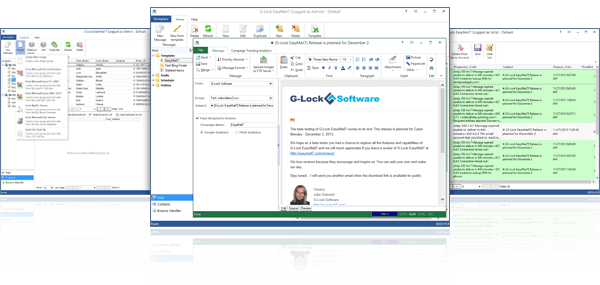
G-Lock EasyMail is a professional bulk email sender software for targeted email lists building and bulk email campaigns creating at your own computer. You can easily manage opt-in mailing lists for your subscribers, create personalized messages such as HTML newsletters, e-magazines, account statements, reports, statistics, bills to your customers and send them with G-Lock EasyMail in just minutes.
You can maintain your in-house mailing list without using any third party autoresponder list management service and so you don’t need to pay any monthly fee. You can store your list safe and secure either on your computer, or in a remote database.
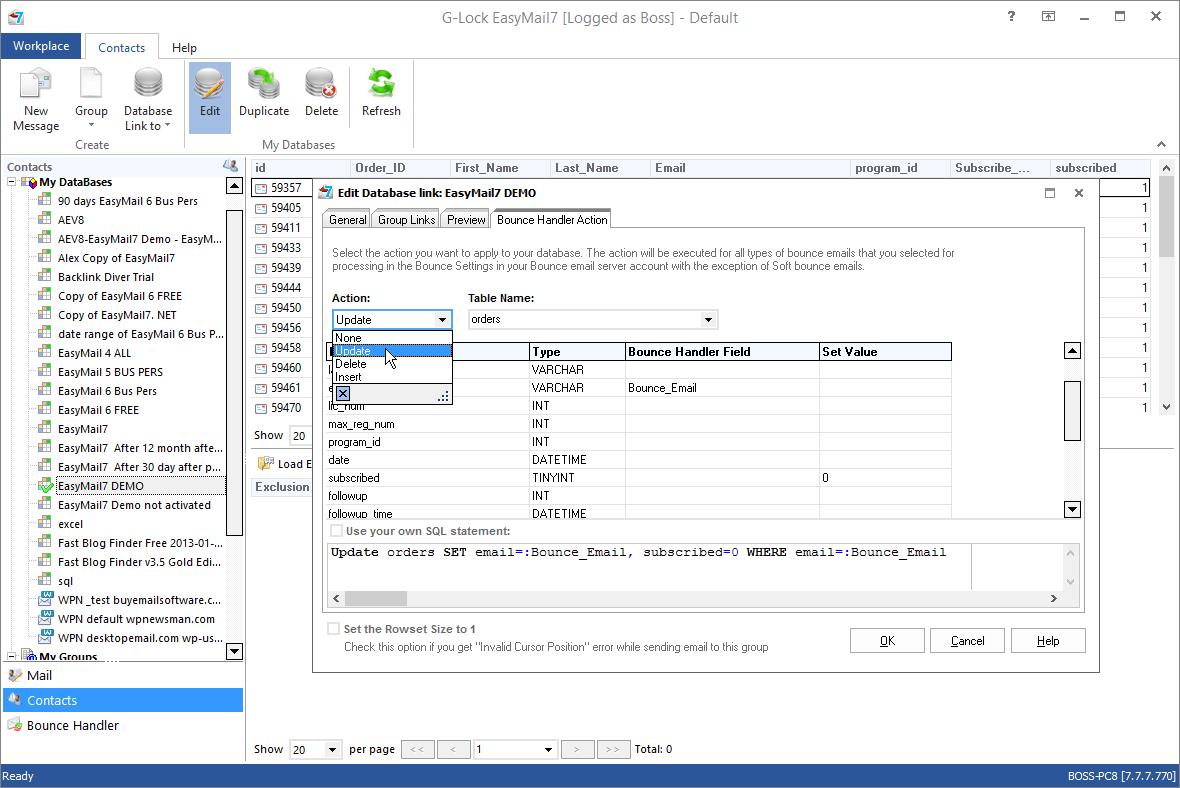
Using this bulk email program you can import your mailing list into the internal program database, or connect from G-Lock EasyMail to a remote database with your subscribers. G-Lock EasyMail can connect to any ODBC compatible database.
G-Lock EasyMail is the most effective and reliable way to do permission-based email marketing, create and send opt-in email newsletters in minutes! You can use our free WordPress Double Opt-In plugin to build your opt-in mailing list. This mailing list management plugin allows you collect subscribers using a double opt-in subscription method.
G-Lock EasyMail has 3 editions - Free, Personal and Business - what makes this mailing list software very cost effective. While you have a small email list, you can use a free edition of G-Lock EasyMail as long as you want. As far as your list grows, you can upgrade either to the Personal or Business edition which provide you with more powerful features and capabilities.
![]() |
Version: 6.0 Released: September 30, 2008 With brilliant designs and powerful features of this email blast software you can bring spectacular results to your email marketing campaigns and beat your competitors in the business. The most effective and reliable way to do permission-based email marketing, create and send opt-in email newsletters in minutes! |
Track Your Email Campaigns in Real Time NEW!
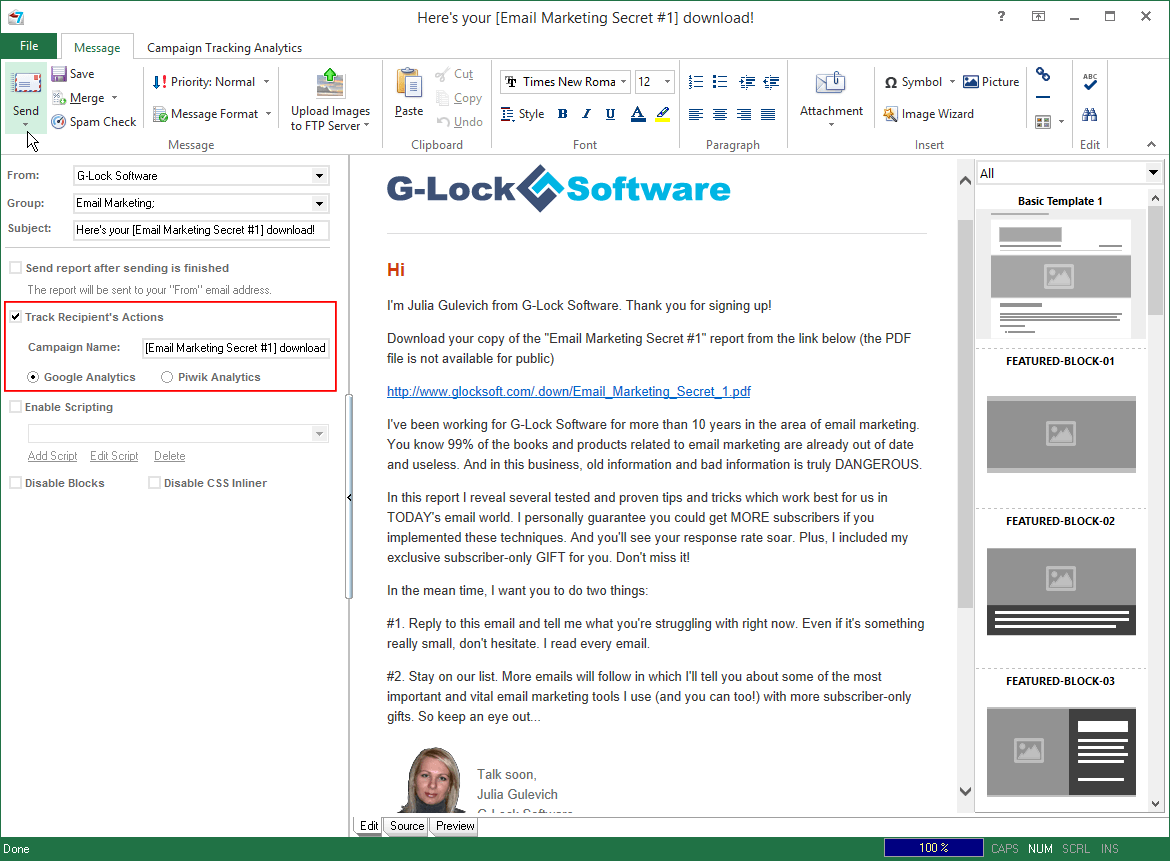
G-Lock EasyMail is integrated with G-Lock Analytics - email tracking service - that helps you clearly understand what is happening to your emails after they are sent. Email tracking metrics such as email opens, clicks, and click-throughs are saved to your account on G-Lock Analytics. You can also track the email addresses of the recipients who opened your email and who clicked on the links in your message.
With these types of reports you can figure out if your customers find your emails interesting, or what part of them they like more. You can download this User Guide to learn more How to Track Email Campaigns with G-Lock Analytics

With G-Lock Analytics you can:
- Track open rate (for HTML emails)
- Track click through rate (for HTML and text emails)
- Track click-throughs using your own domain
- Track the date/time when a customer opened the email and/or clicked the URL
- Track unique information: IP address, email address
- View the geographical localization of unique opens
- Get real time reports about your e-mail campaign performance
Help translate G-Lock EasyMail GUI and get a license for FREE
You are invited! G-Lock Software is requesting help from multi-lingual speakers to help translate G-Lock EasyMail GUI into different languages to make this software more international. If you are fluent in English and other languages, and you have some programming experience, please, volunteer and help as much as you can. The more the core titles, headings, and programming language of G-Lock EasyMail is translated into every language, the more international users can take advantage of the power features of G-Lock EasyMail.
Thanks to our customers we already have the translation of G-Lock EasyMail interface into the Albanian, Dutch, Finnish, French, Germain, Greek, Italian, Malay, Portuguese (Brazil), Portuguese (European), Russian, Slovenian, Spanish (International), Spanish (Argentina), and Turkish languages. If you would be willing to translate G-Lock EasyMail GUI into another language, please contact us and we will send you all the material for translation via email.
In return for your help G-Lock Software offers you a FREE license for G-Lock EasyMail Business edition! (The regular price is $349)
Most Effective and Reliable Newsletter Sending Program for Permission-Based Email Marketing
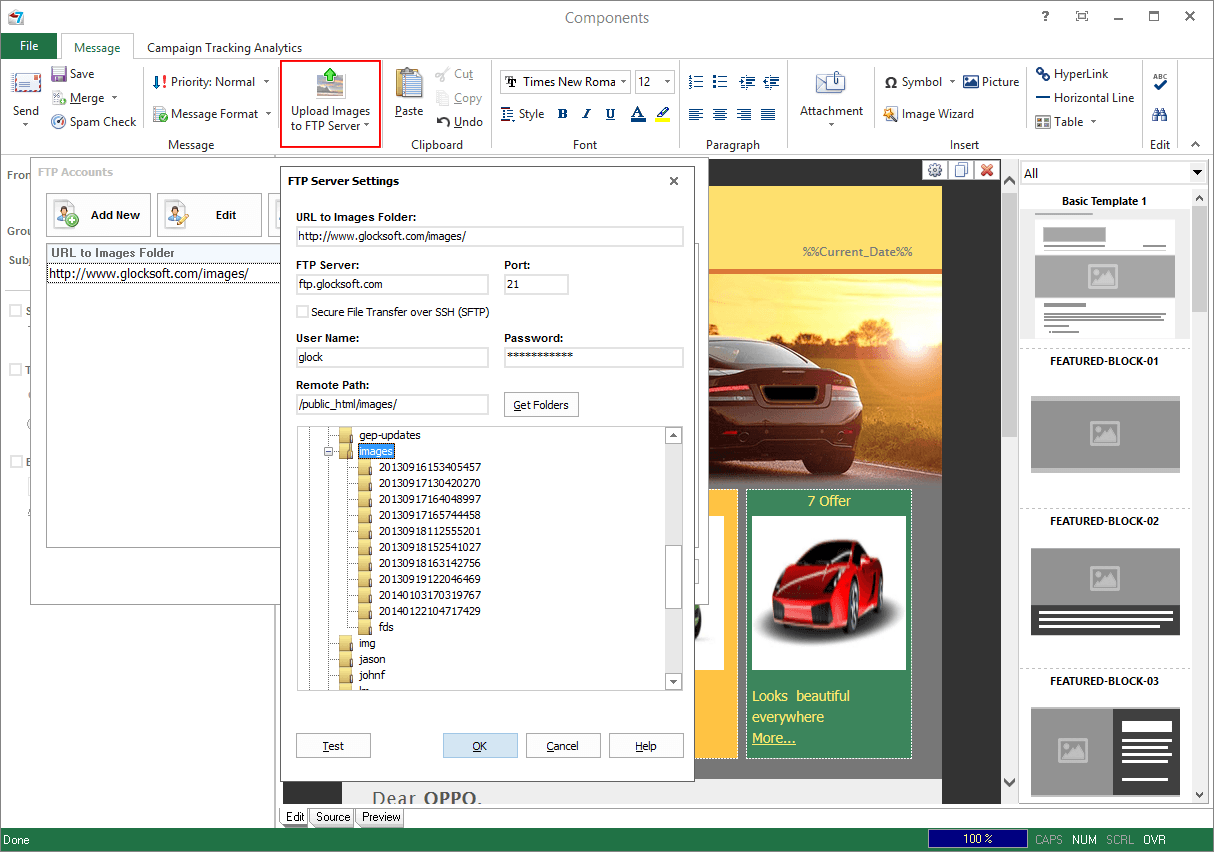
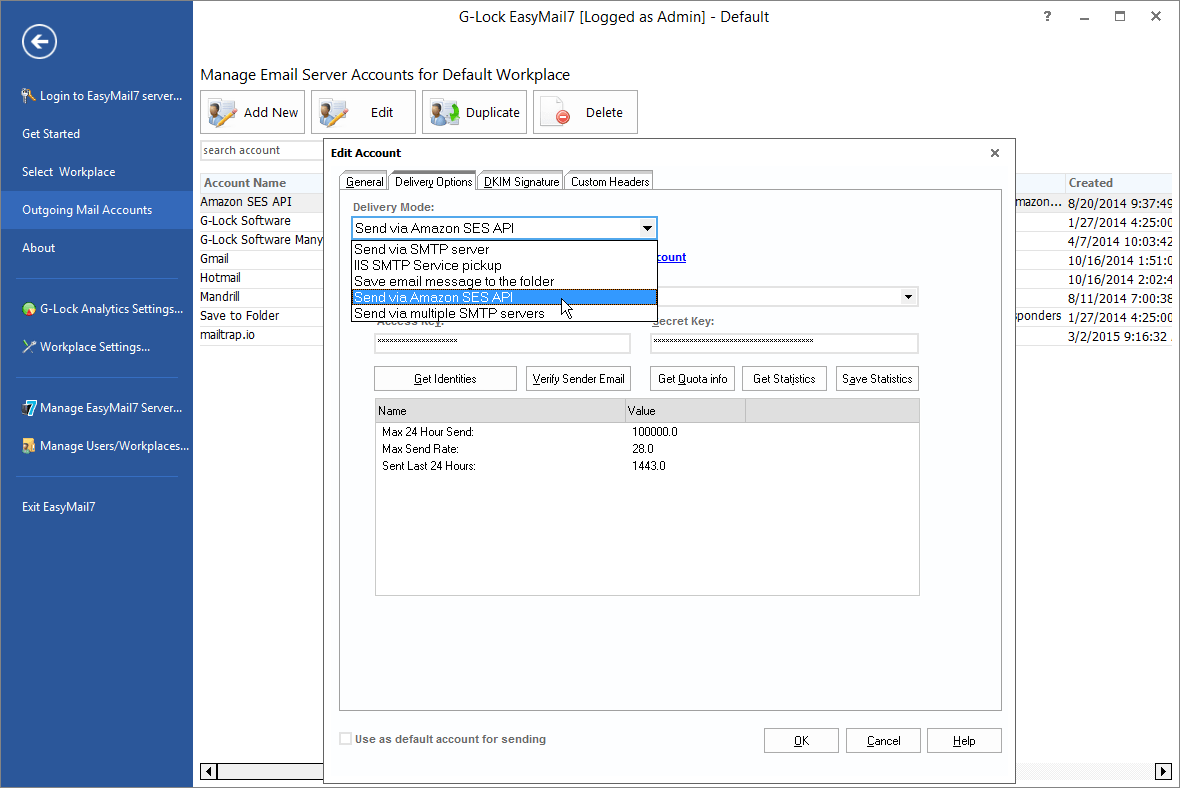
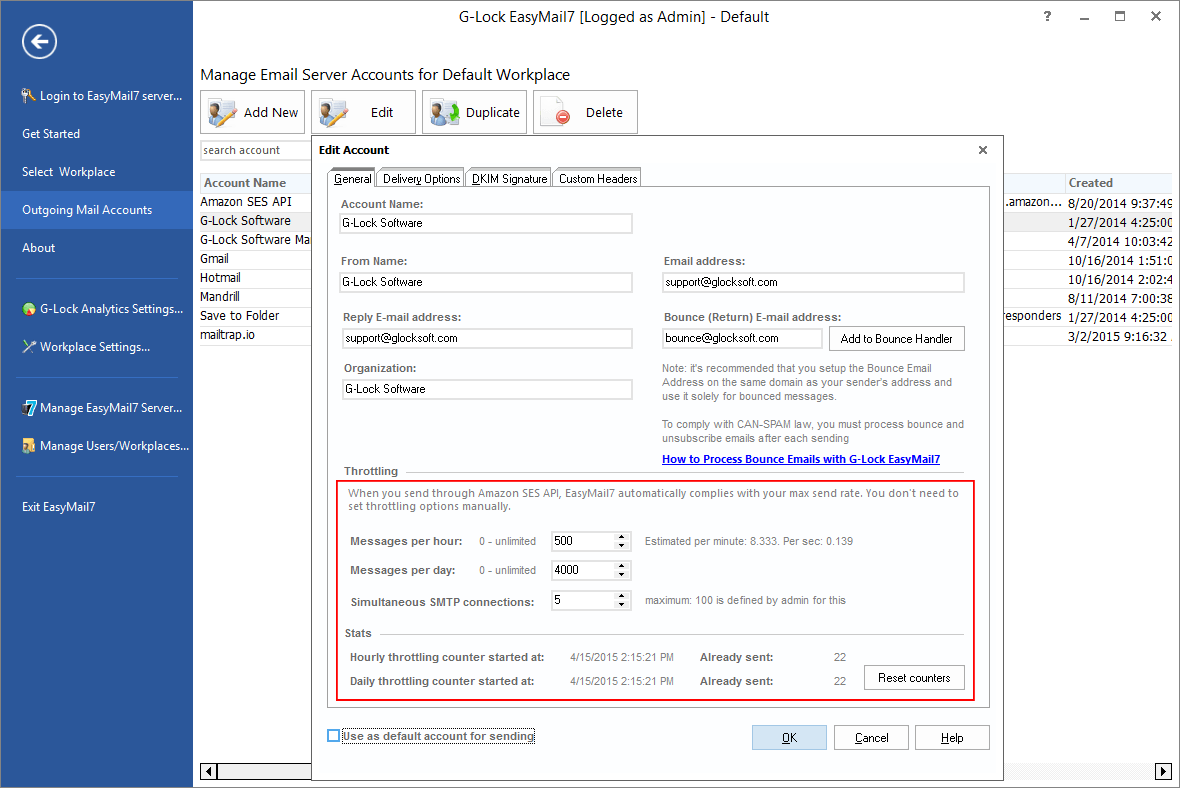
G-Lock EasyMail provides you with a flexible sending engine. You can choose any of 4 delivery options that suits your marketing needs better: direct send mode, sending mode via SMTP server, IIS SMTP Service Pickup, or save email message to the folder.
Direct Send Mode
This mailing list software has its own SMTP relay and can send the message directly from your computer to the recipient’s mail server bypassing the ISP SMTP server. We call it "direct send mode". This takes the load off of your mail server and speeds up the message sending significantly.
Send via SMTP Server
Nowadays due to security reasons many ISP do not allow sending emails bypassing their SMTP servers and close the port 25 (the port 25 is used by G-Lock EasyMail to send the emails directly). Plus, not all the mail servers accept the emails sent directly from someone’s computer trying to prevent in this way unsolicited messages. All of this results in email delivery failure.
Keeping this in mind, we developed this bulk mailing program so that it works with your existing ISP mail settings too.
IIS SMTP Service Pickup NEW!
If you select this delivery mode, all emails will be saved to the directory, queued and sent by IIS SMTP Service in background. Make sure you have installed IIS SMTP service on your server before using this mode.
Save email message to the folder NEW!
G-Lock easyMail can save all emails to a folder on your disk (emails will not be sent. Select a folder to save the emails and file extension. You can save the messages as .eml, .msg, or .txt files.
The support of Secure SMTP Protocols (SSL/TLS) is also there so you can use our group email software on the email accounts that require SSL/TLS (available in G-Lock EasyMail Business edition only).
Send Directly to the Database without Import-Export
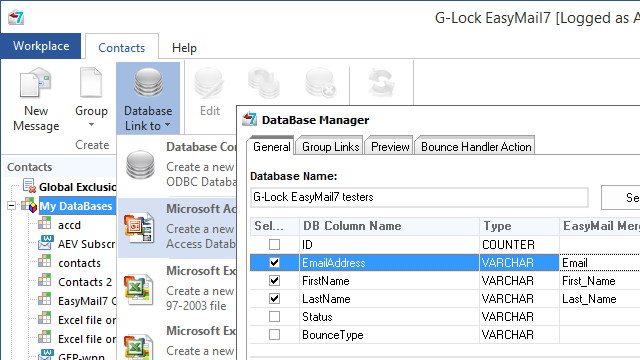
One of the new features is a capability to connect to a database, extract the email addresses directly from the database without import-export and send the message to those email addresses. G-Lock EasyMail can work with any ODBC compliant database.

Click on the image to enlarge it
Easy-to-Control Address Book to Store Contact Information
This email blasting software provides you with an easy-to-control Address Book to store contact information. With G-Lock EasyMail Address Book, you have a place to store email addresses, home and work addresses, phone and fax numbers, digital IDs, conferencing information, instant messaging addresses, and personal information such as birthdays or anniversaries. You can also store individual and business Internet addresses.
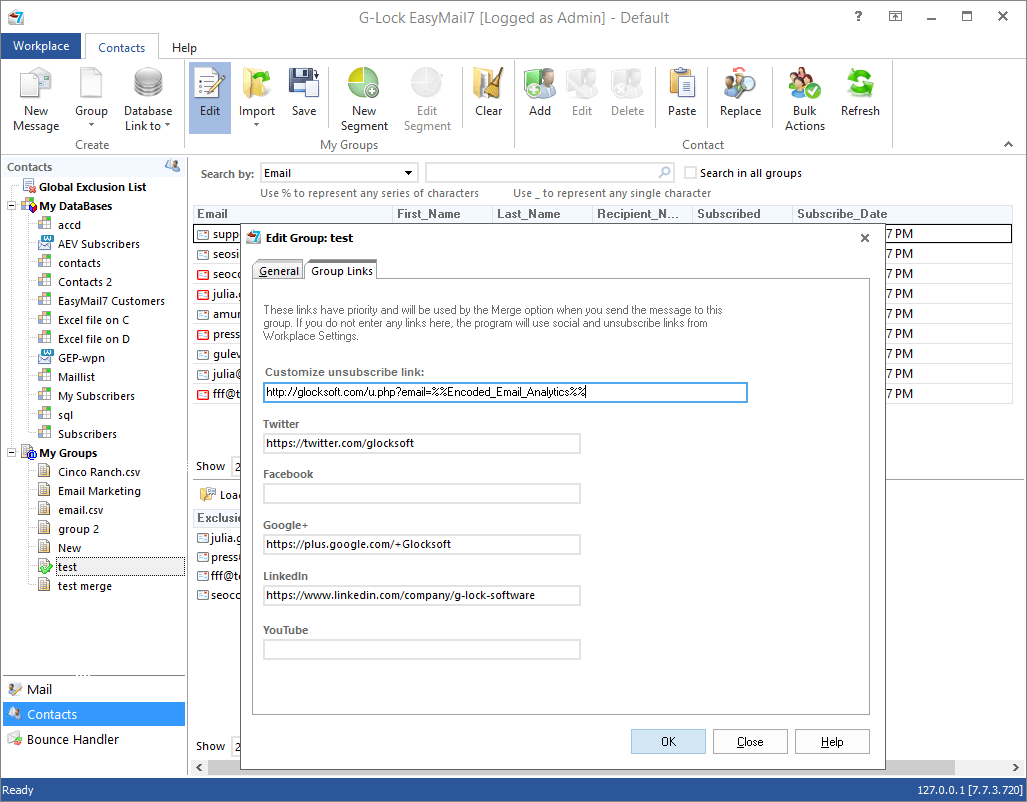
You can create groups of contacts to make it easy to send email to a set of people, such as business associates, relatives, or friends. Any time you want to send email to everyone in the group, just use the group name instead of entering each contact individually.
You can sort and filter the contacts in the Address Book as you want to organize the records in the most convenient way for you.
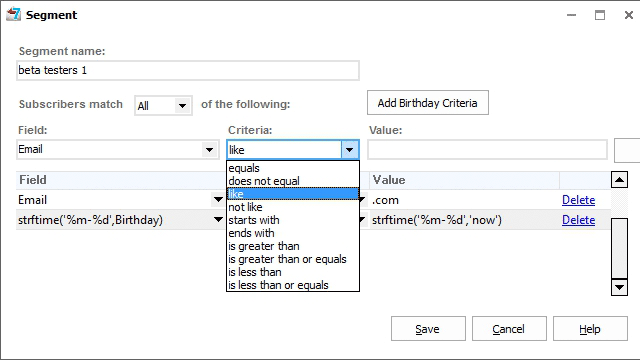
NEW! G-Lock EasyMail Address Book is integrated with G-Lock Analytics tracking service. You can view email tracking reports directly in the Address Book. This feature makes the email list segmentation based on the email tracking metrics quick and easy. You can easily add the recipients who opened your email and clicked on the links in your email to the Exclusion List of the group or external database. Then you can send a re-engaging letter to those subscribers who didn’t act upon your initial message.
Unique Exclusion Lists for Groups and External Databases and Global Master Exclusion List
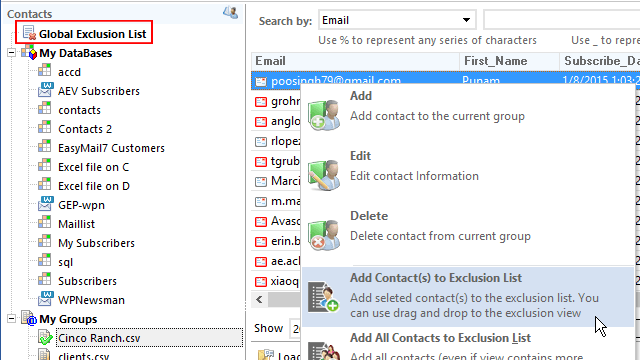
The Address Book of this email marketing program allows you create a unique Exclusion List for each group and external database. You can add to the Exclusion List the email addresses you don’t want to send the message to.
Plus, there is a global master Exclusion List. A master Exclusion List works for all the groups and database links in the Address Book. Here you can add the rules to exclude some email/domain addresses from the email campaign or from loading them into the program.
Support of Text and HTML Email Formats
G-Lock EasyMail provides you with a fully featured context-sensitive message editor. In addition to the plain text message format, there is a HTML editor that you can use to give a special emphasis to your message: bold, colors, and embedded pictures.
While you’re composing your HTML email, G-Lock EasyMail automatically prepares a plain-text alternative of the message. You can edit a plain-text alternative separately from the HTML part, then tie both alternatives into one email and send it out to your recipients. This is THE WAY to send your email so that EVERYONE can view it. If the recipients can view a HTML message, they will see your message as HTML, if their mail reader does not have HTML enabled or is not capable of viewing HTML the multi-part message will automatically be shown in plain text!
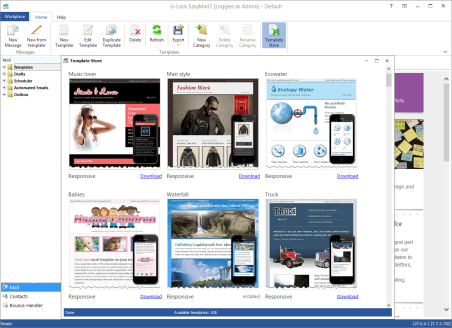
You can design your email message directly within G-Lock EasyMail, or you can use another program to prepare your message and then load it into G-Lock EasyMail. Feel free to browse our HTML email templates library and choose any collection you like to use for your HTML newsletter.
"EasyMail is probably the best mailing client for administrators and business users alike. Anyone from club administrators through to the big corporate giants will prefer using this program above all others of its type" - PC Club Aid
"G-Lock’s EasyMail, powerful email software, is back, and sporting a newer, flasher GUI interface. There are a bunch of new features, all of which really make this program stand out from the crowd in terms of mass emailing. If you’re a company that regularly emails its client base, this is perhaps a better method of doing so…" - A1 Yippee
Personalized Email Delivery
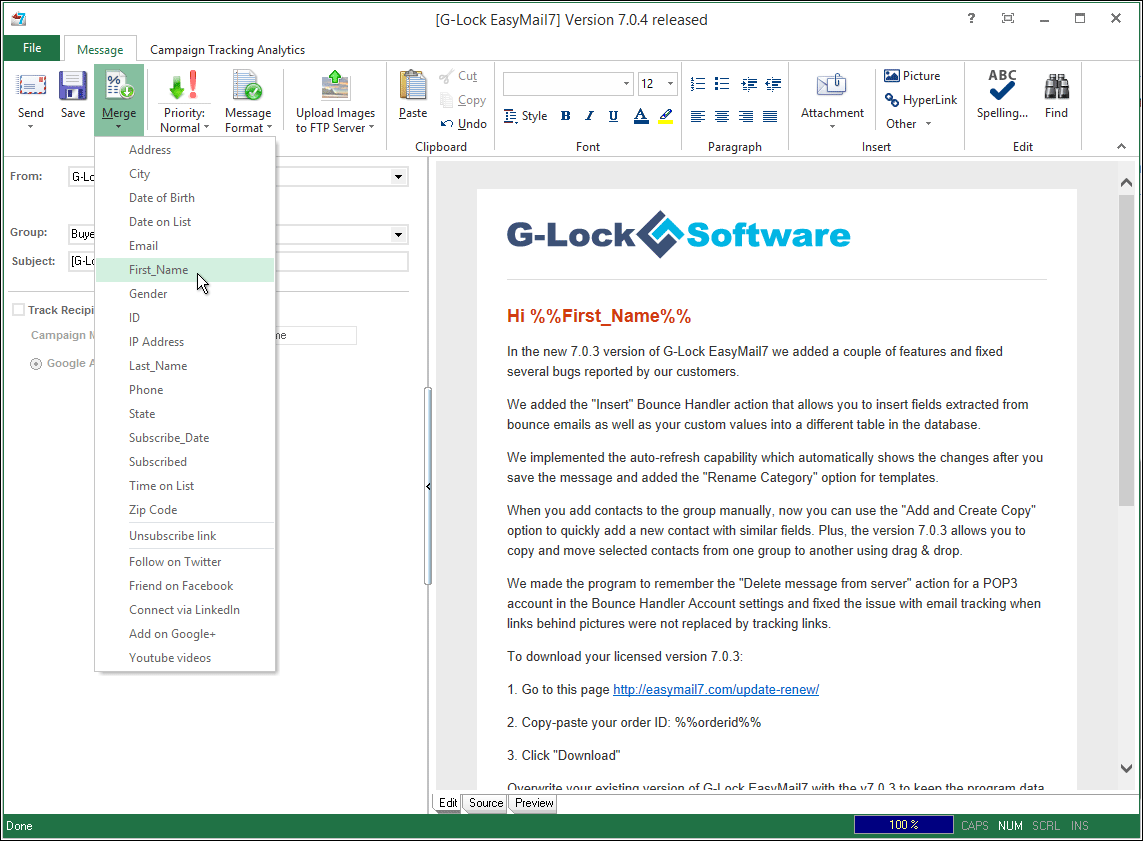
With our newsletter mailing software you can send personalized messages to every recipient using the powerful Merge feature. It is an exquisite way to generate new orders from existing customers. This is also the most efficient means to make contact with your clients, one that will bring you much satisfaction.
And furthermore, you can preview how the Merge feature works right in G-Lock EasyMail to ensure that a personalized message for each recipient looks like you expect.

Click on the image to enlarge it
Bounced Emails Management
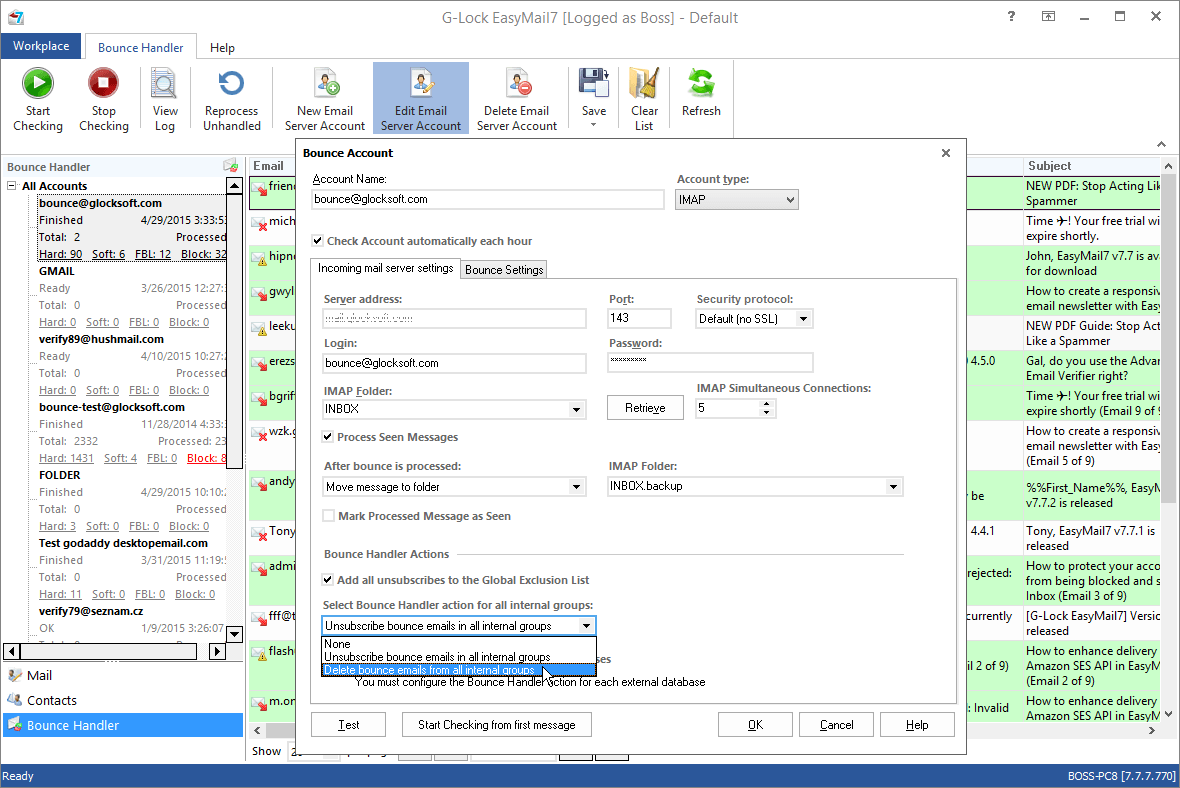
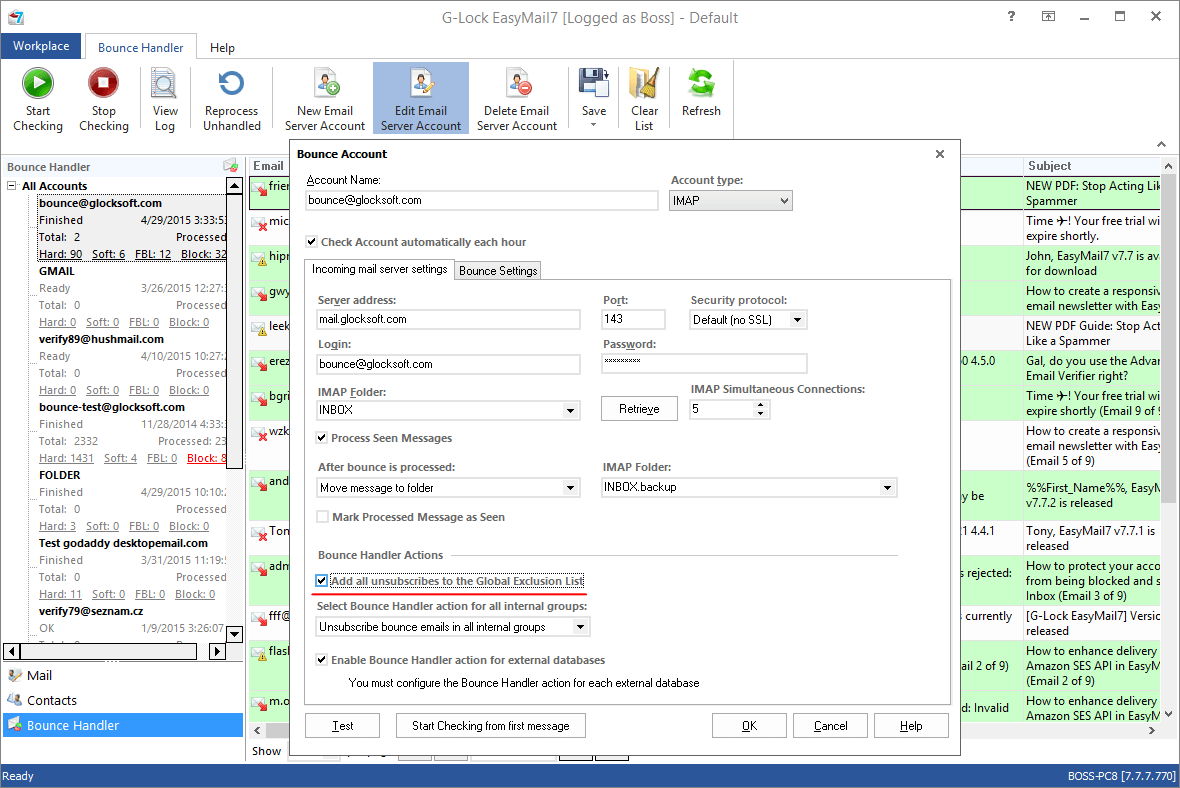
One of the latest additions to G-Lock EasyMail is the Bounced Email Manager module. With the Bounced Email Manager you can easily process bounced messages after your email campaign is complete. The Bounced Email Manager retrieves bounced emails from the mail server, extracts the email addresses from bounced messages and saves them to a file.
You can export bounced emails and additional fields to different file formats including MS Excel, MS Access and other databases. With one mouse click you can add bounced emails to the Exclusion list of the group or database in G-Lock EasyMail Address Book.
Support of External Scripting Languages
G-Lock EasyMail supports very powerful scripting languages: Microsoft Visual Basic, JavaScript, Perl, and PHP, all driven by components within the operating system (for VBasic and Javascript) or in a separate installation (for Perl and PHP). What’s really powerful about the external language capability in G-Lock EasyMail is that you can establish auxiliary connections to other data sources through ODBC from within those languages, and bring that data into each message.
With this capability, you can create a unique message subject for every recipient, insert data for every recipient into the database after/before the message is sent and much more. Essentially, you have all the resources available in a powerful programming language all available within G-Lock EasyMail, which can manage the composition and sending of email for you.
Backup and Restore Your Workplace with a Mouse Click
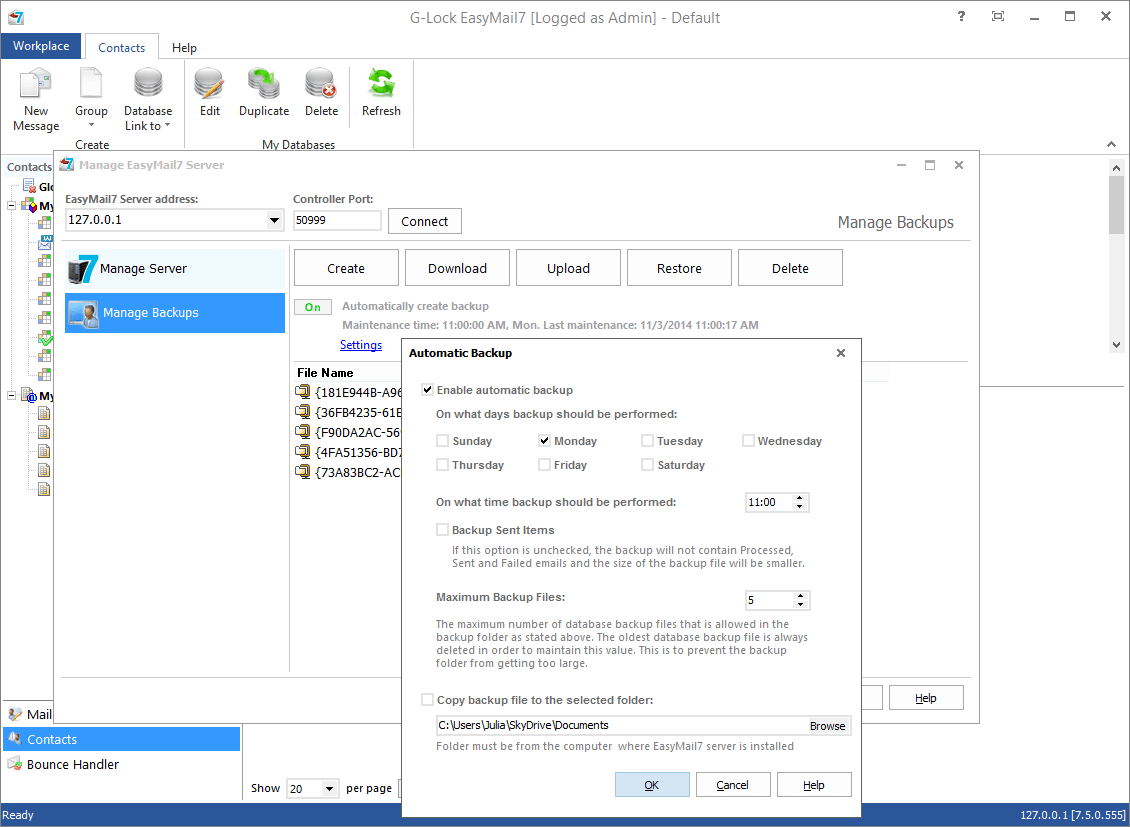
G-Lock EasyMail provides you with a quick and easy way to backup and restore your workplace (address book, accounts, settings, signatures, and email messages). It is very useful option if you would like to move the program on another computer or simply re-install it. You can save a backup of all your data and restore it in the new program installation at any time.
Works on all Windows platforms
The email management software, G-Lock EasyMail, is a 32 bit Windows program for email marketing. It is intended for easy and convenient sending emails to large mailing lists (up to 50 000 recipients in each group). The program works on Windows 98/ME/NT/2000/XP, and Vista.
No Linux or Mac version of G-Lock EasyMail is available.
We will never tolerate the use of G-Lock EasyMail to facilitate the sending of spam mail. We have taken measures to stop people abusing our product - for example, the unregistered version of EasyMail has limitations in it to prevent it being abused. There is a limitation to the number of messages (maximum 100) that can be sent at any time.
Using this bulk email software in indiscriminate spamming activity is prohibited under the product license agreement.